Mute on unlock
Automatically mutes after your screen is unlocked so your first click does not become an accidental out-loud moment.
macOS menu bar app for Mac auto mute
Default0 automatically sets your Mac volume to zero during unlocks, output changes, Bluetooth disconnects, Wi-Fi changes, and meeting app launches, so sound does not suddenly play through speakers in meetings, offices, libraries, or shared spaces.
Lightweight macOS menu bar app | Auto launch | Local runtime
Runs on Macs with macOS 13 or later, including both Intel and Apple silicon.
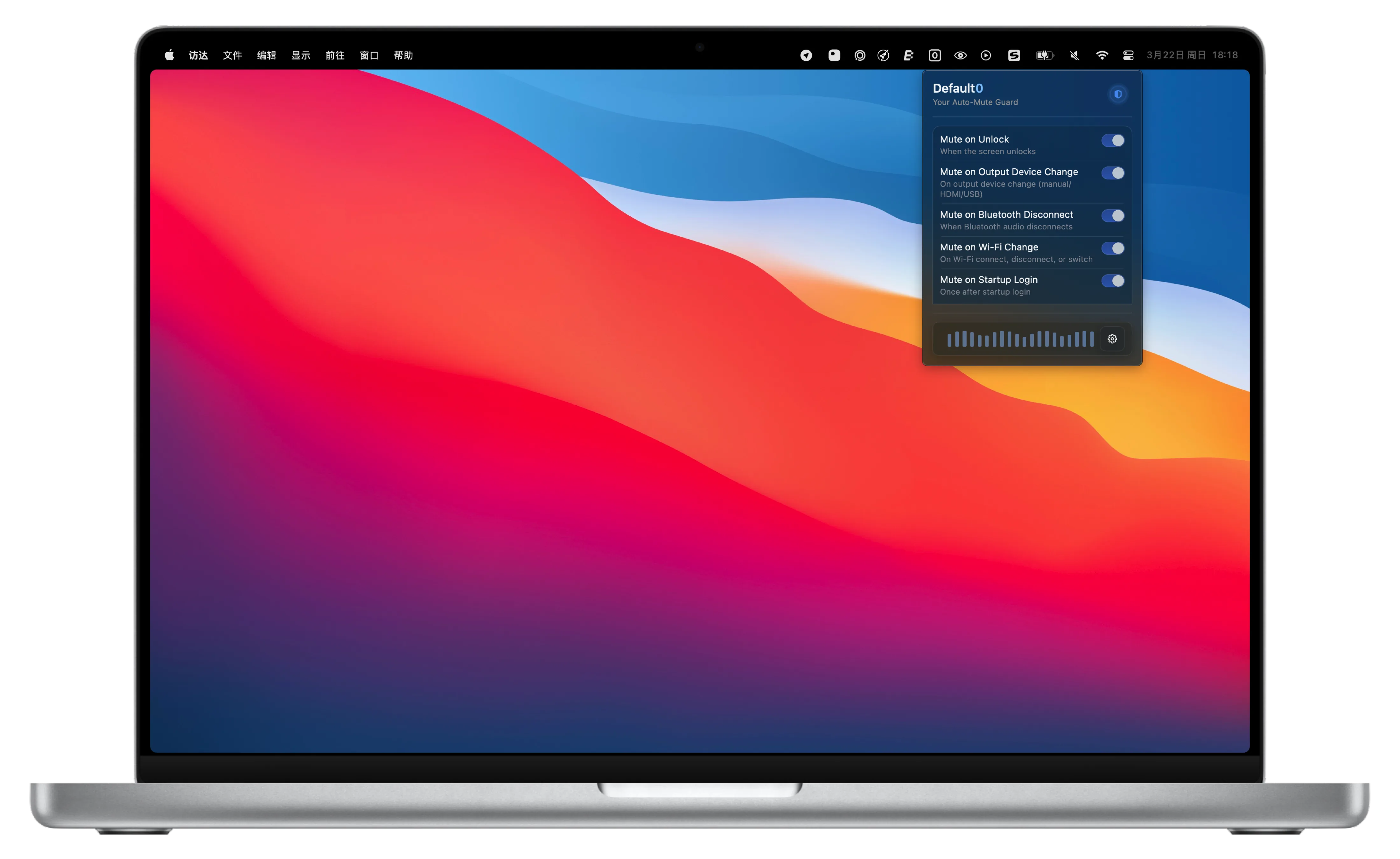
A trigger-first system for high-risk transitions on macOS. Each rule can be enabled independently.
Automatically mutes after your screen is unlocked so your first click does not become an accidental out-loud moment.
When the default audio output changes, Default0 mutes immediately to avoid leaks during speaker-headphone transitions.
If a Bluetooth audio device disconnects, audio is muted before it falls back to speaker output.
When Wi-Fi connects, disconnects, or switches networks, Default0 can trigger mute to prevent connectivity-driven speaker surprises.
During the first login phase after startup, mute is applied to reduce accidental playback risk.
Set high-risk apps such as meeting, video, social, or entertainment apps to auto-mute when they become active.
Moving from one call to another? Avoid sudden speaker playback from meeting apps or browser tabs.
In coworking spaces and libraries, a single accidental playback can be immediately noticeable.
When Bluetooth headphones randomly disconnect, Default0 mutes before audio jumps to speakers.
If you constantly switch apps, devices, and lock-unlock states, automation prevents missed mute states.
No. It is built as a lightweight menu bar utility focused on low daily overhead.
Yes. Every auto-mute rule can be enabled or disabled independently.
Yes. You can select one or more apps and mute automatically when they become active.
Yes. You can enable launch at startup in settings.
You can pause protection with one click and resume anytime.
Yes. It supports Simplified Chinese, English, Japanese, Korean, German, Spanish, and more.
Hand over mute-risk moments to Default0 from now on.
For macOS | Menu bar app | Ready out of the box
Need help or business contact? Reach us by email.